What's inside
Every feature your business needs.
Already built in.
Not a marketplace. Not a plugin store. These are native features that work together because they live in the same system. Explore each one below.
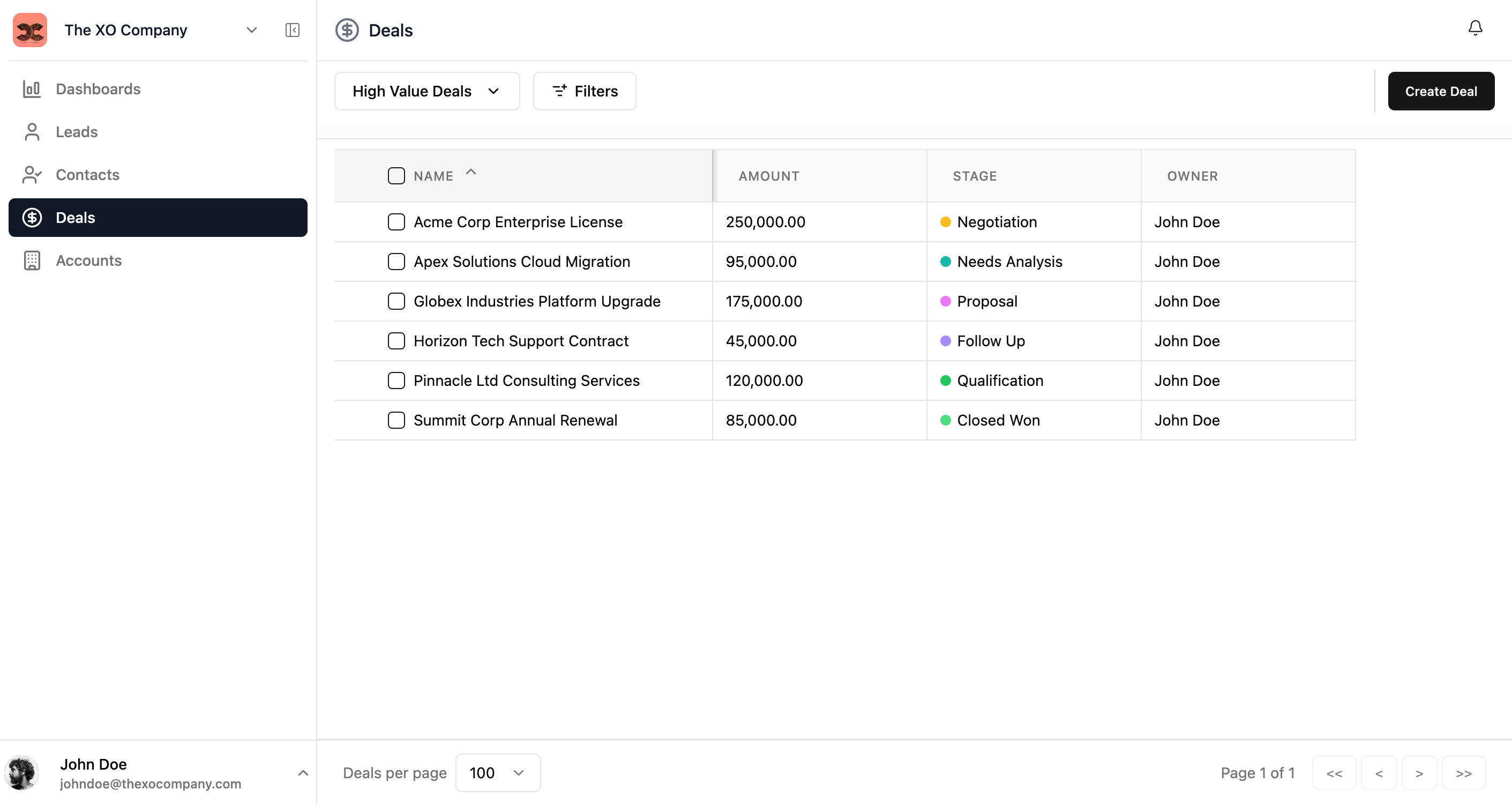
List Views & Custom Lists
Organize and view your data exactly the way you need it
List views provide a powerful, spreadsheet-like interface for browsing, sorting, and managing entries across any module. Save your preferred column configurations and filters as Custom Lists that you can access anytime and share with your team.
Key Features
- •View entries in a clean, tabular format with customizable columns
- •Sort by any column with a single click
- •Resize and reorder columns to match your workflow
- •Select multiple entries for bulk operations
- •Inline editing for quick updates without leaving the list
- •Save filtered views as Custom Lists and share with your team
- •Apply advanced filters to narrow down your data
Entry Detail Pages
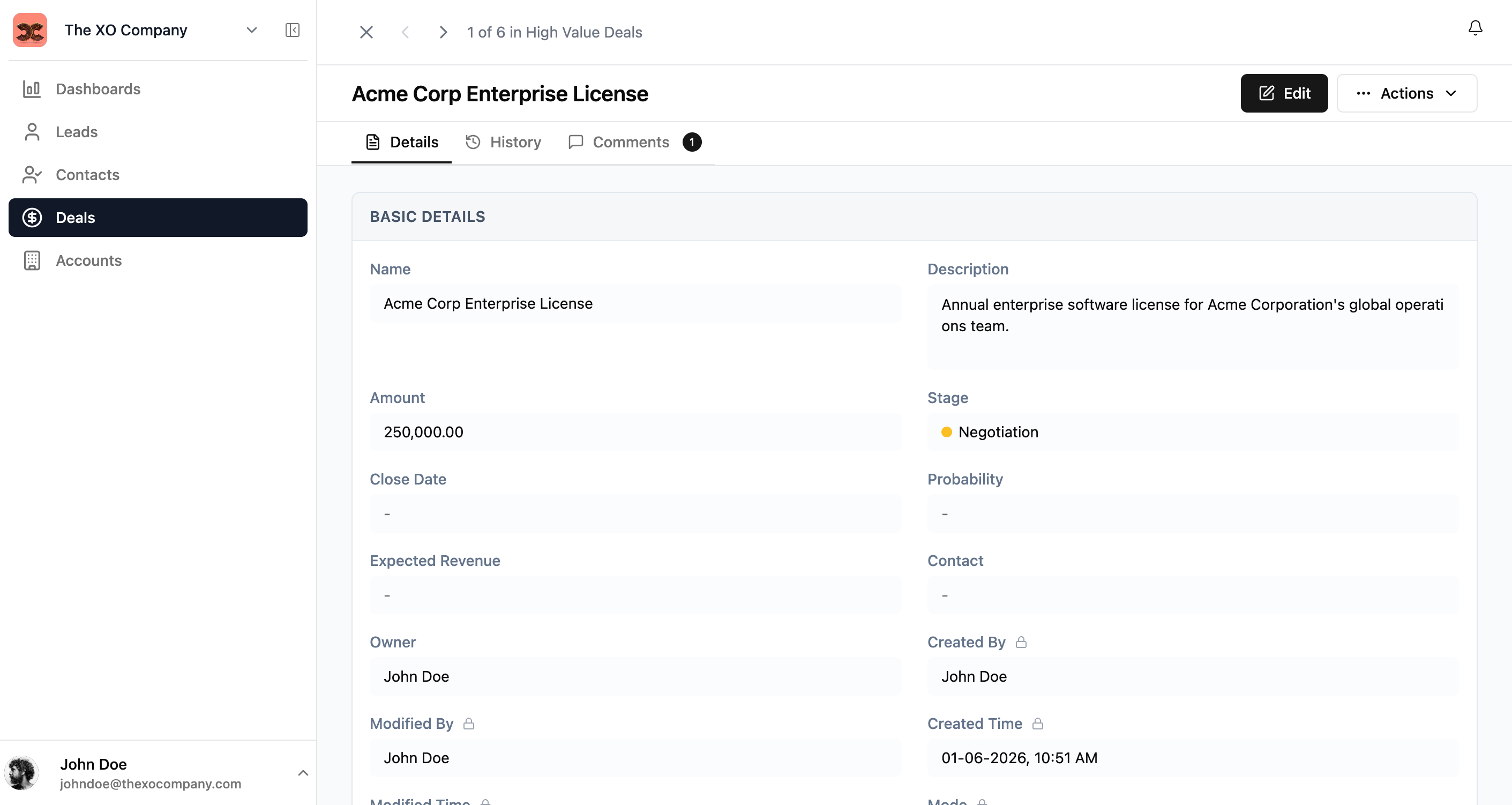
Get a complete view of any entry with all its information in one place
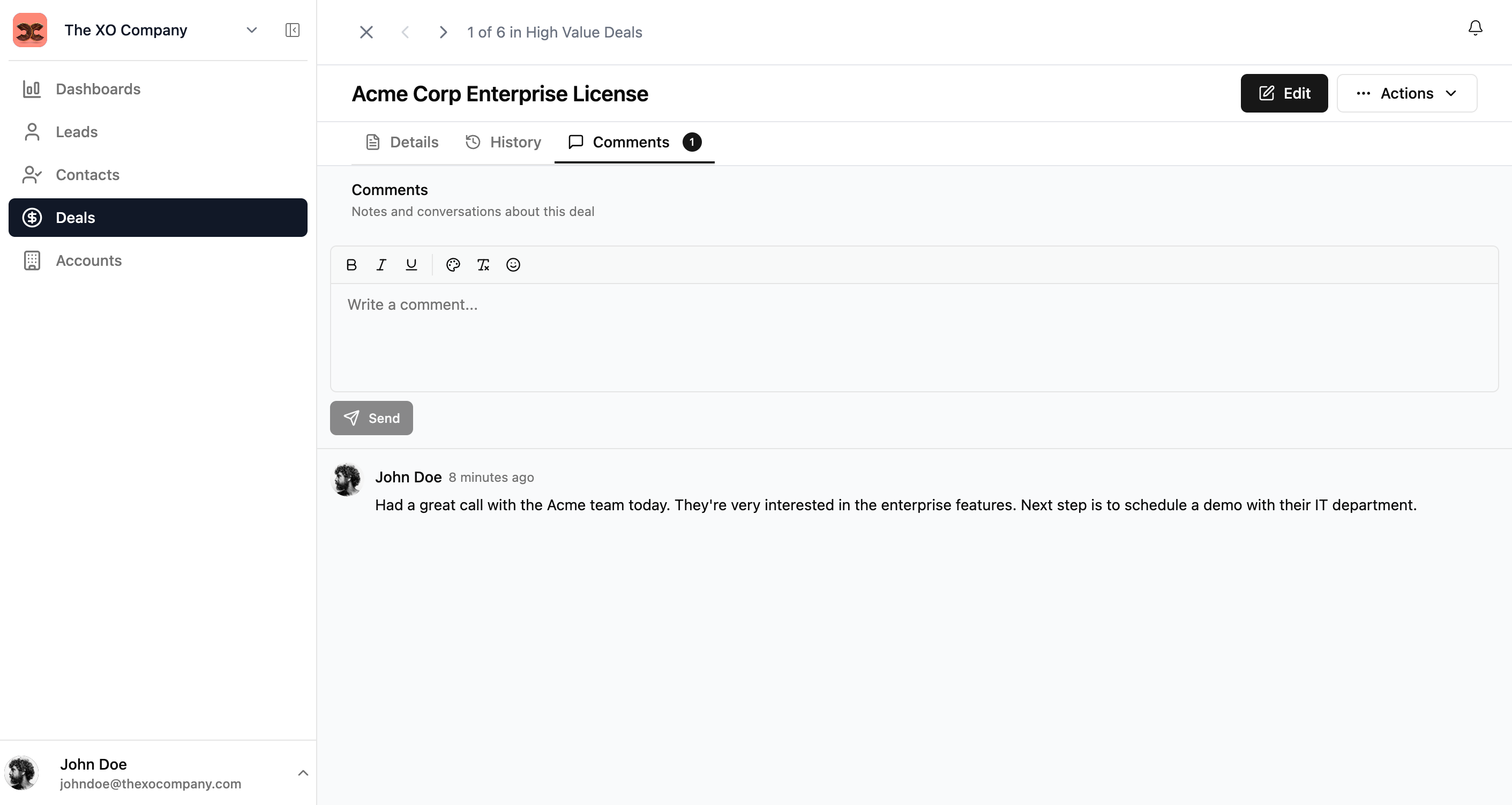
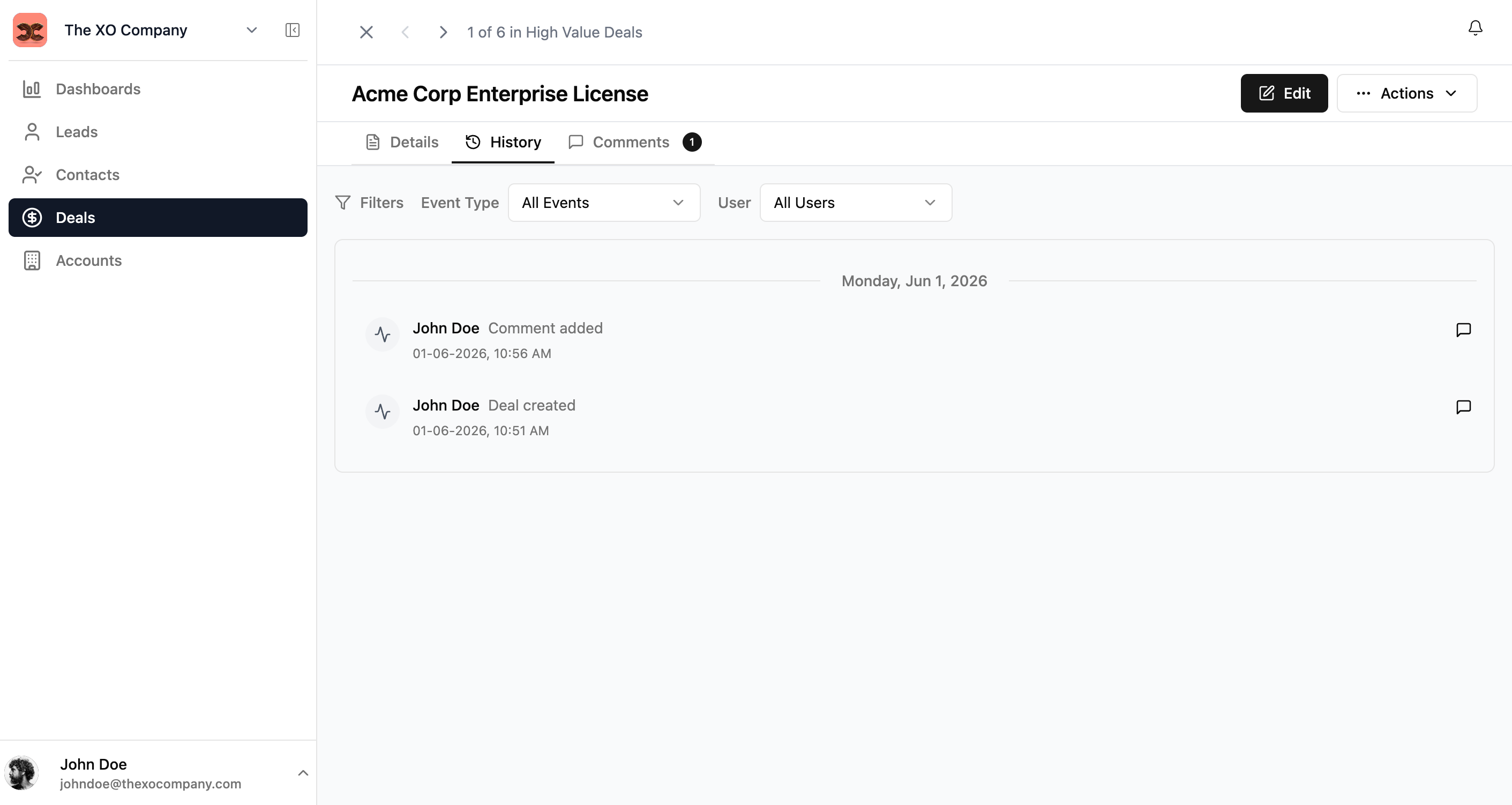
See all fields organized in logical sections, track every change made to an entry, and keep all conversations in one place. Quick navigation between entries and one-click editing make managing your data effortless.
Key Features
- •See all fields organized in logical sections
- •Quick navigation between entries with previous/next buttons
- •One-click editing to update any information
- •Track every change: who made it, when, and what was modified
- •Rich text comments with formatting, emoji reactions, and reply threads
- •Resolve comments when issues are addressed
- •Access common operations from the Actions menu
Dashboards & Reports
Visualize your data with interactive charts and reports
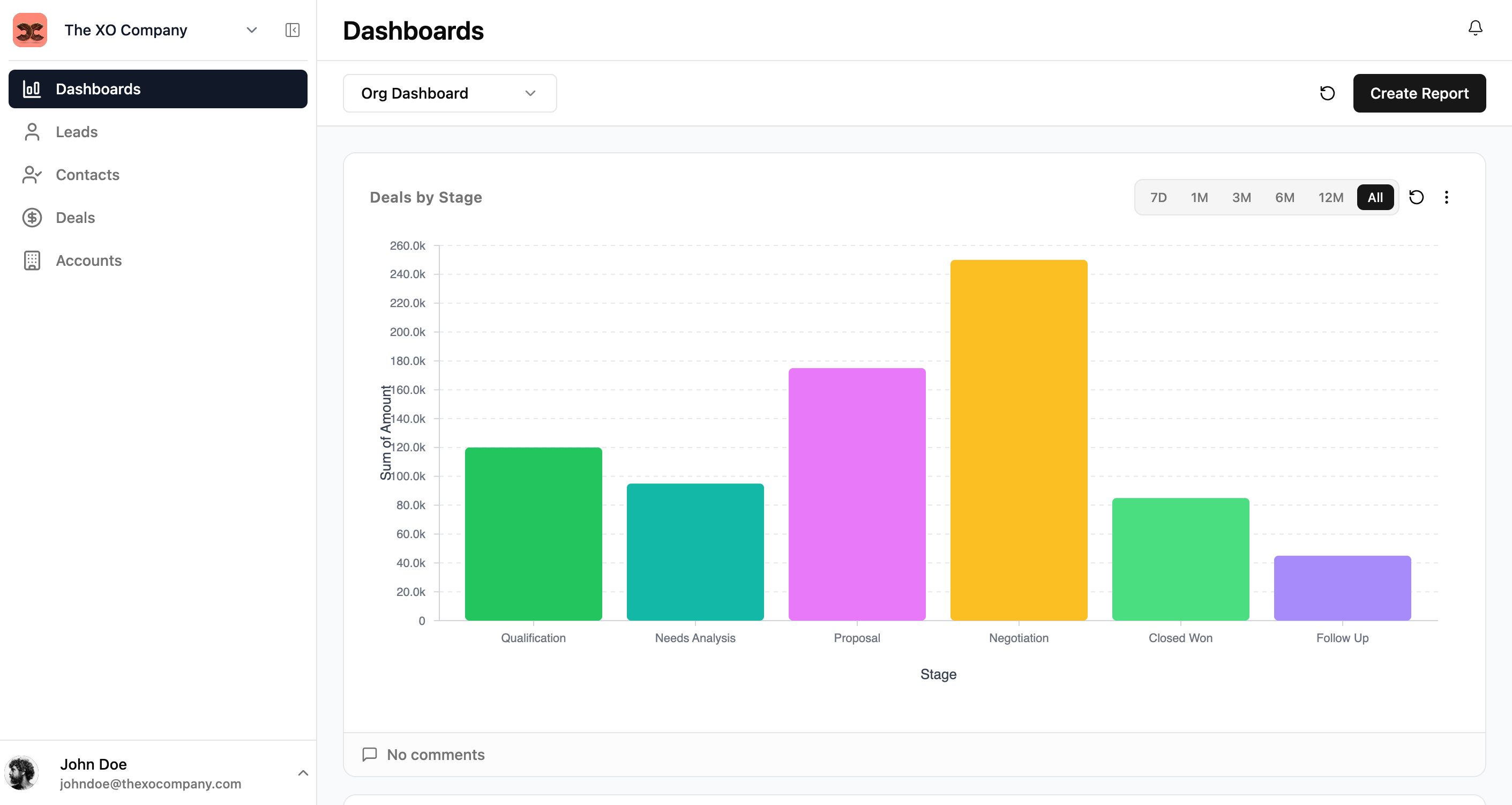
Get insights at a glance and make data-driven decisions. Create different dashboards for different purposes — organization-wide overview, team-specific metrics, or personal productivity tracking.
Key Features
- •Create multiple dashboards for different purposes
- •Build reports with bar charts, line charts, and pie charts
- •Filter reports by time period: last 7 days, month, quarter, or all time
- •Custom report builder with module selection and metric aggregations
- •Group data by any field and apply custom filters
- •Share dashboards with specific users or roles
- •Add comments to reports to discuss insights with your team
Action Flows
Automate your business processes with visual workflows
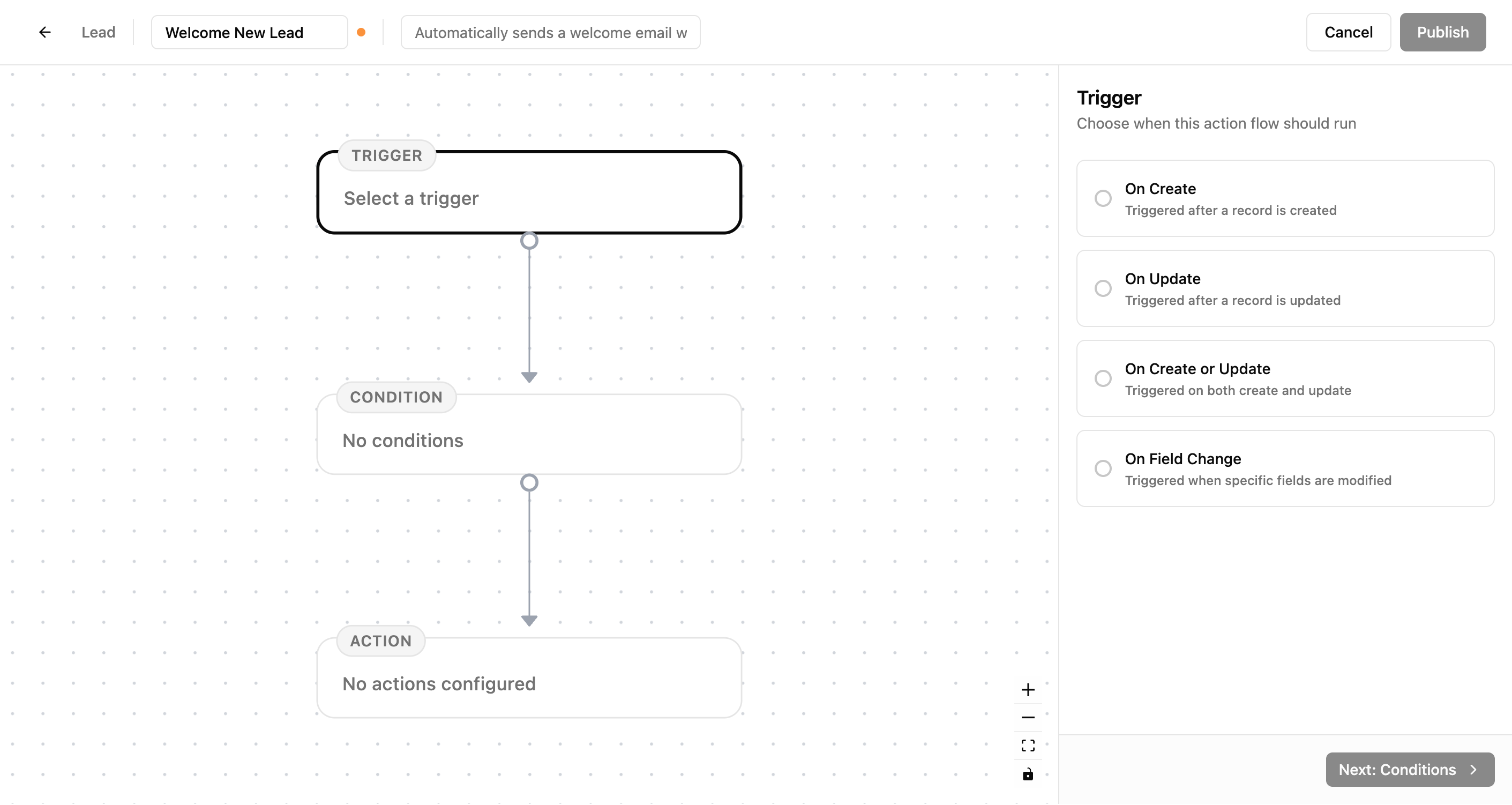
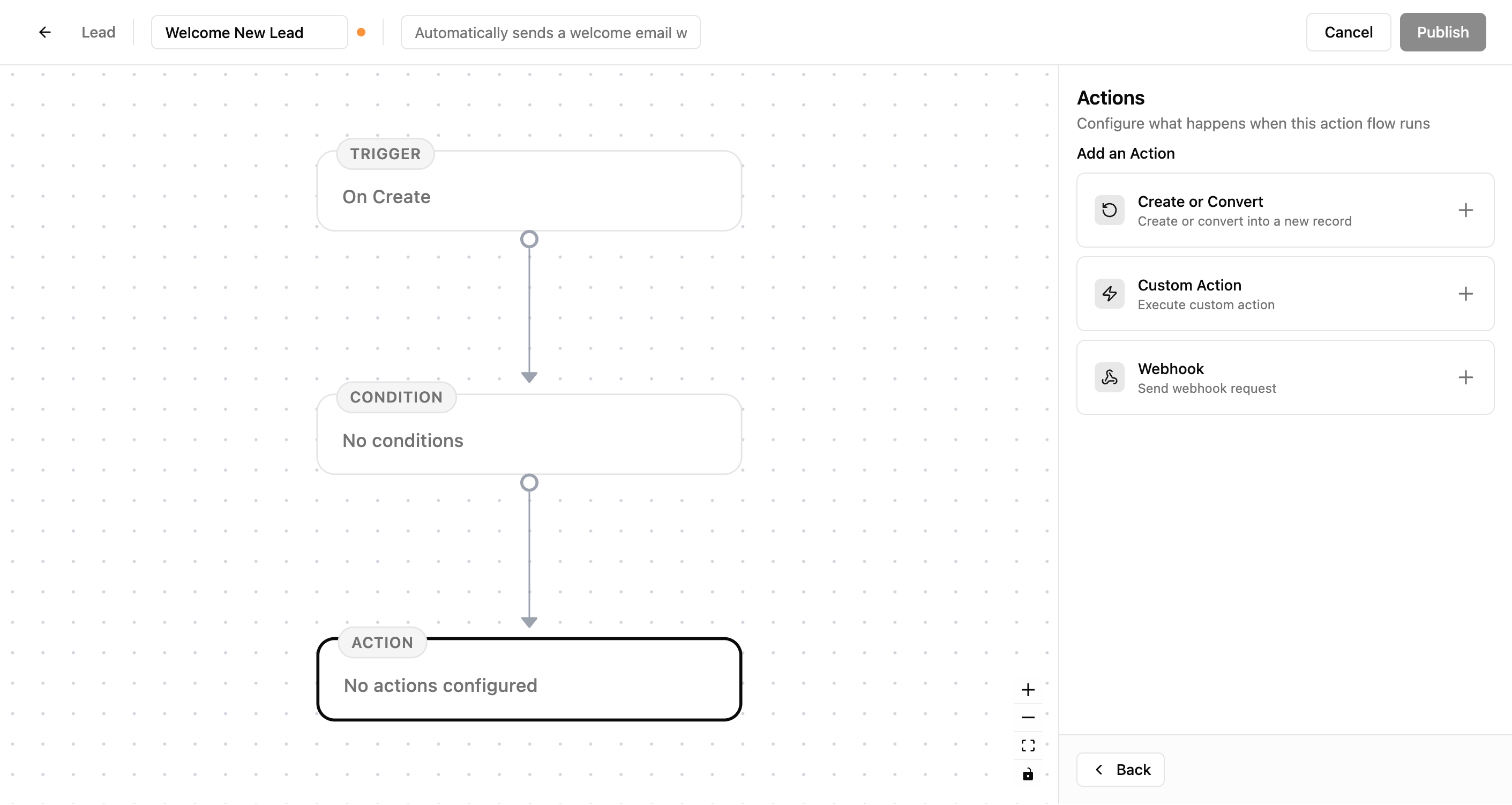
Set up triggers, conditions, and actions to streamline repetitive tasks and ensure consistency across your team. Design your automation visually with an intuitive drag-and-drop interface.
Key Features
- •Visual flow builder with drag-and-drop interface
- •Flexible triggers: On Create, On Update, On Field Change
- •Smart conditions with AND/OR logic to filter which entries trigger the flow
- •Create or convert entries automatically
- •Execute custom business logic
- •Send data to external systems via webhooks
- •Module-specific flows for organized automation
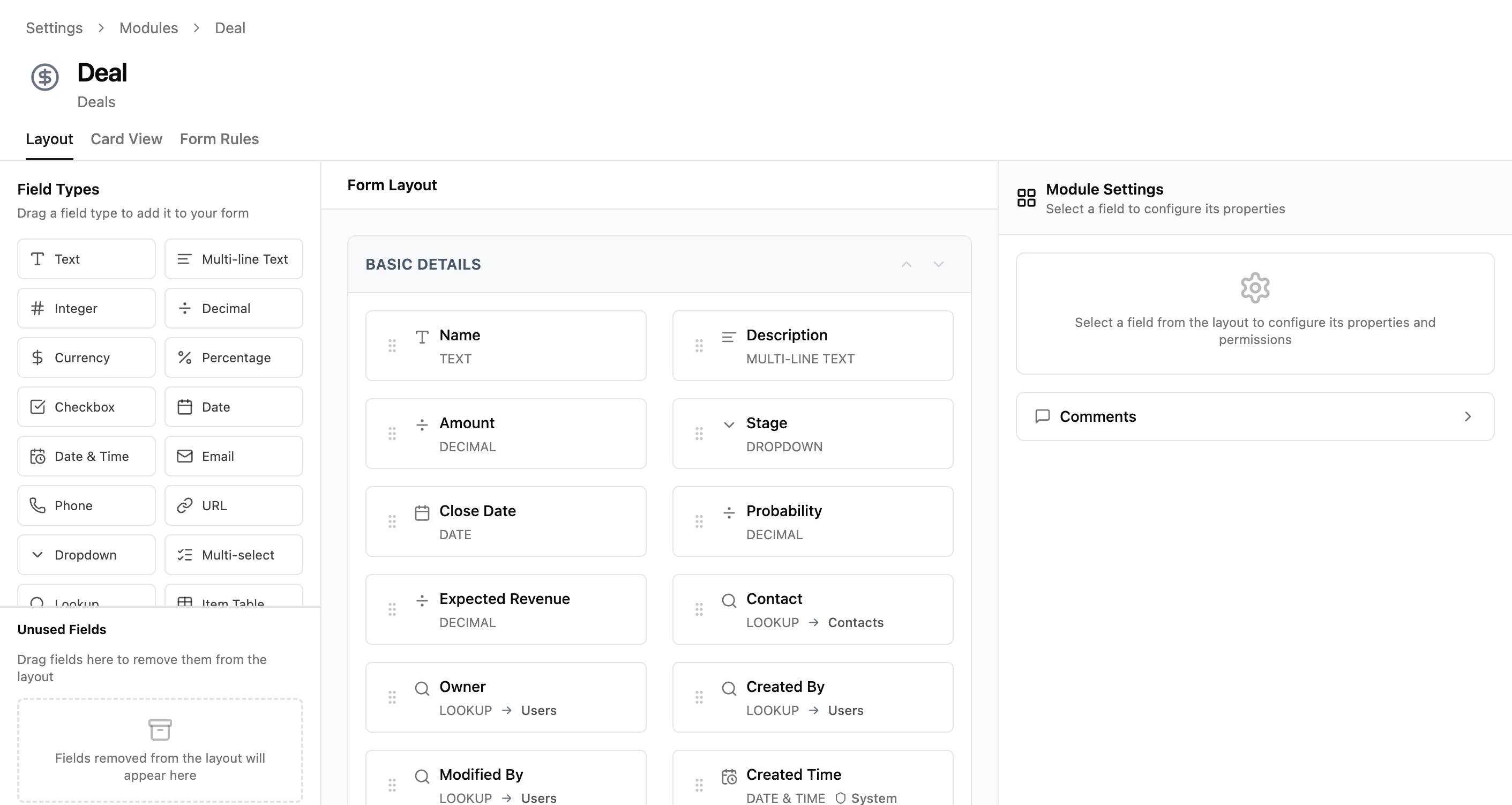
Dynamic Modules & Fields
Build your business applications with fully customizable modules
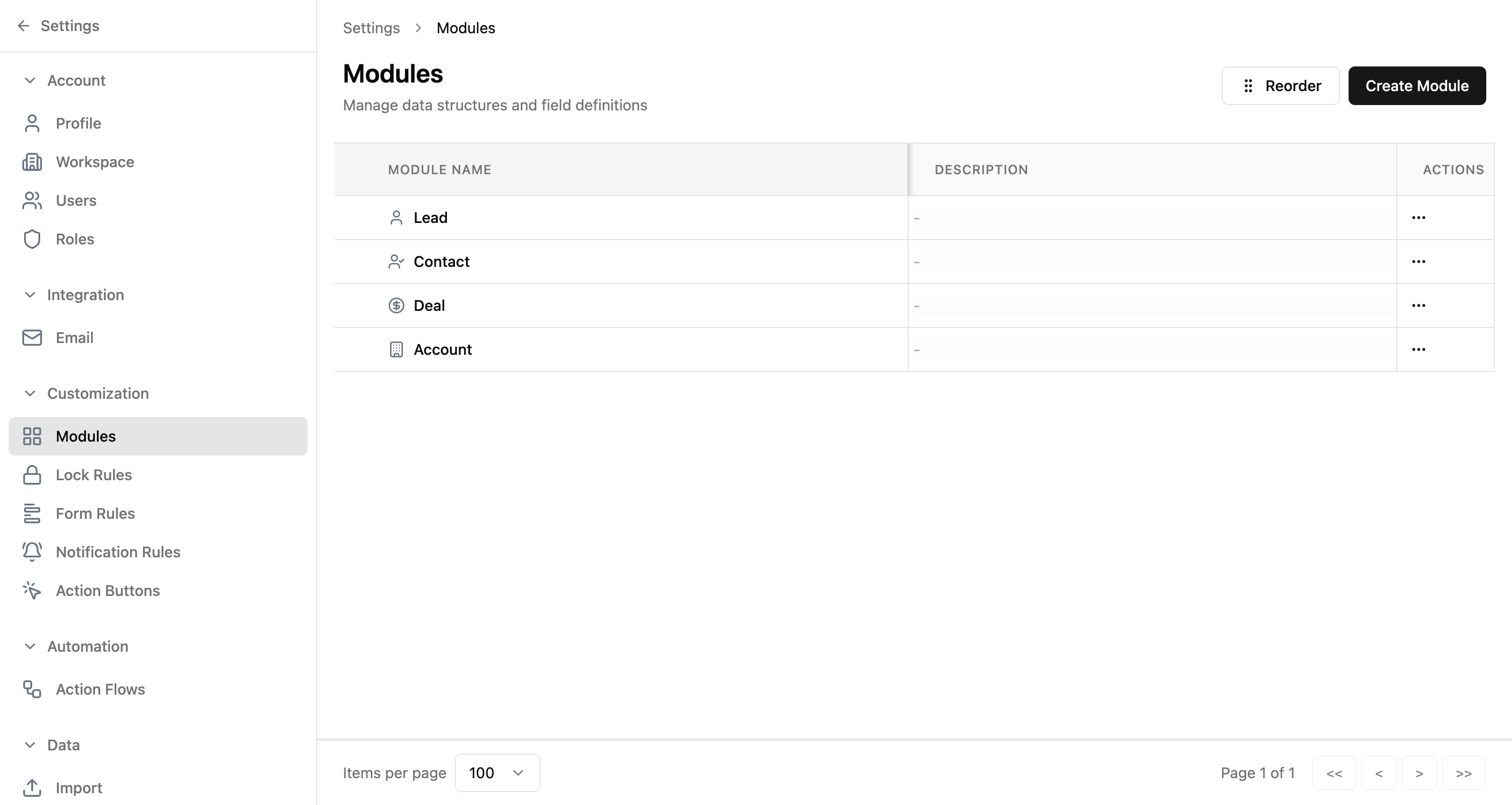
Define the data structures that match your unique processes — no coding required. Create custom modules for any use case with a wide variety of field types and drag-and-drop layout editing.
Key Features
- •Create custom modules: Leads, Contacts, Deals, Accounts, and more
- •Rich field types: Text, Numbers, Date, Email, Phone, URL, Dropdown
- •Advanced fields: Lookup, Formula, Auto Number, File, Image, Item Table
- •Drag-and-drop layout editor to organize your forms
- •Create sections to group related fields
- •Set required fields and configure default values
- •Control field permissions by role
Roles & Permissions
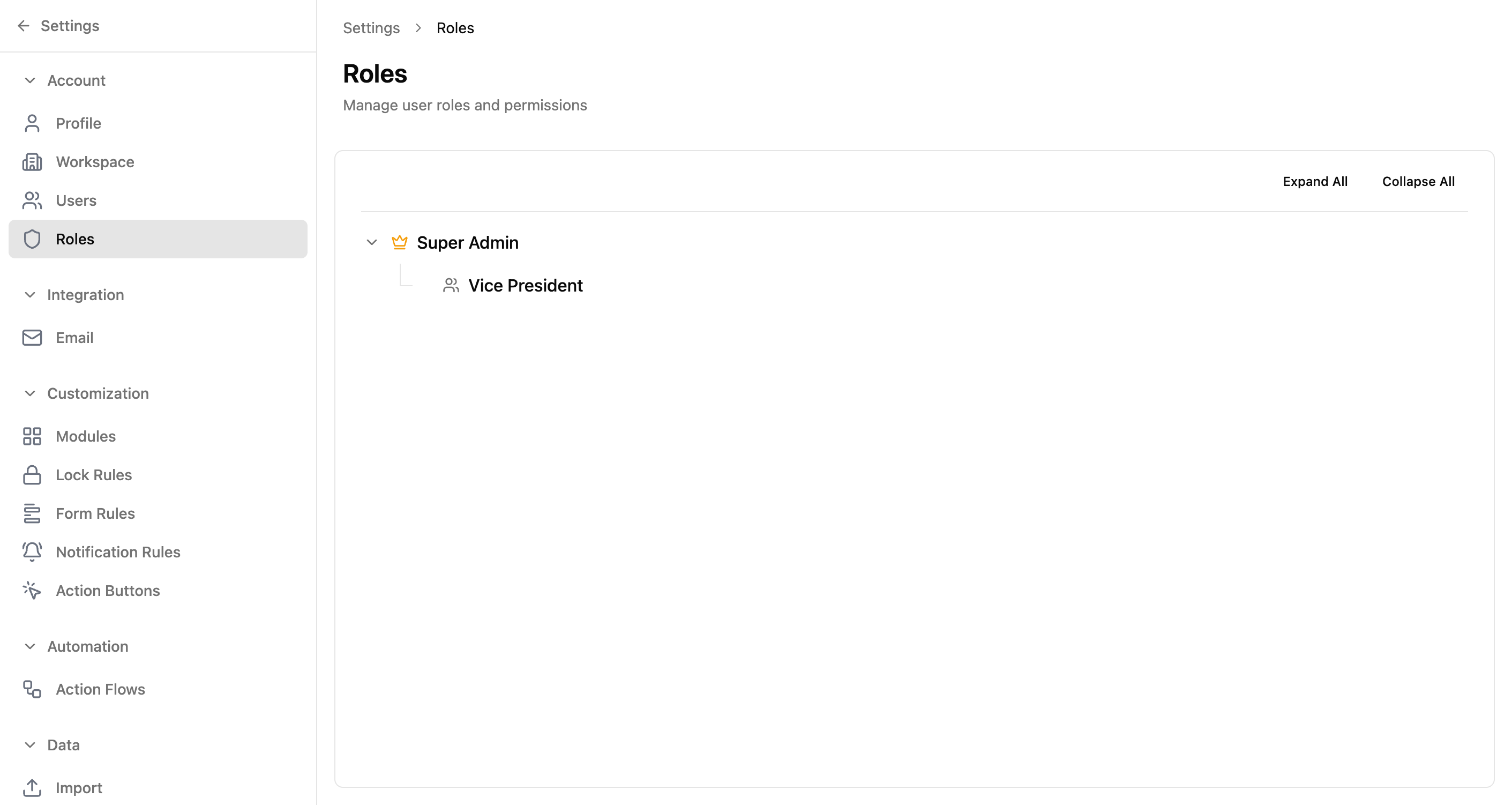
Control who can see and do what with flexible role-based access
Define roles, set permissions, and organize your team hierarchy. Parent roles can see data from child roles, and permissions flow down the hierarchy for intuitive access control.
Key Features
- •Role hierarchy with parent-child relationships
- •Permissions flow down the hierarchy automatically
- •Module permissions: Create, Read, Update, Delete per module
- •Feature permissions: Access to dashboards, reports, imports, and more
- •Field-level permissions for sensitive data
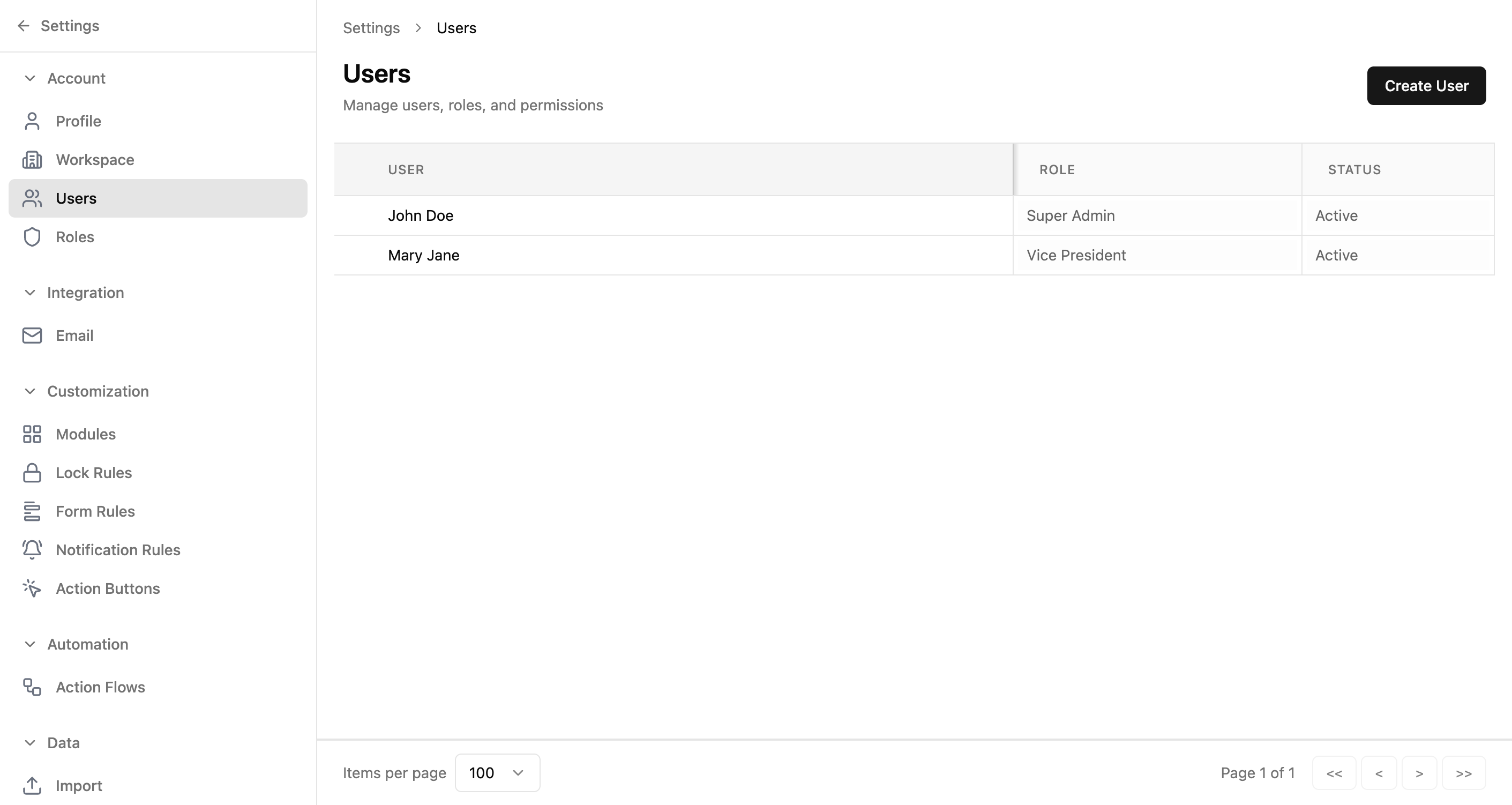
- •Easy user management with role assignments
- •Built-in roles: Super Admin, Vice President, and custom roles
Audit Trail & Entry History
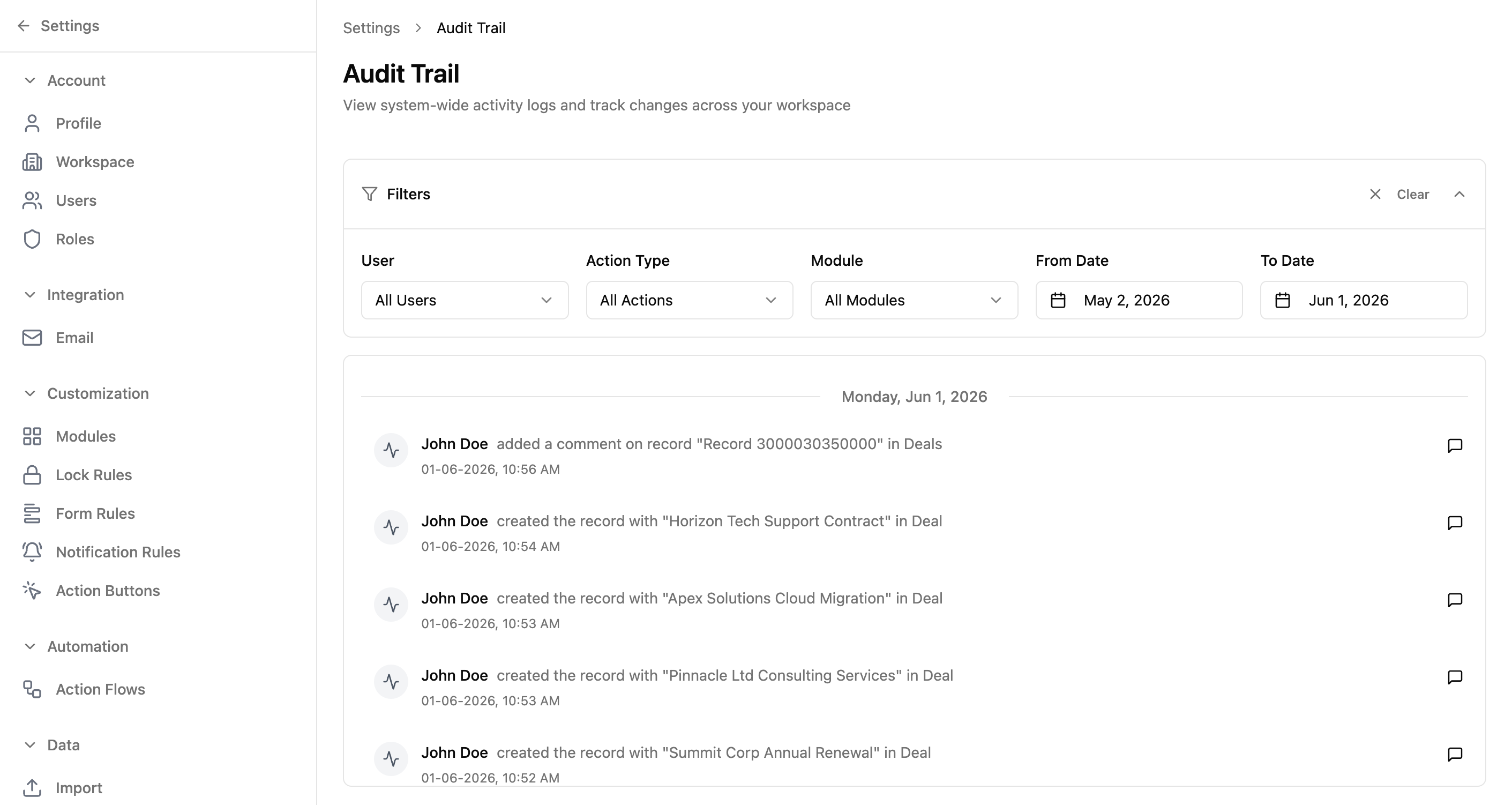
Track every change across your workspace
Comprehensive audit logging lets you know who did what, when, and what changed. See all activity across your workspace including entry creation, updates, deletions, and configuration changes.
Key Features
- •Workspace-wide audit trail for all activity
- •Filter by user, action type, module, or date range
- •See old and new values for every field update
- •Timestamps and user attribution for every action
- •Entry-level history tab for each record
- •Add comments to audit events for context
- •Track bulk operations and configuration changes
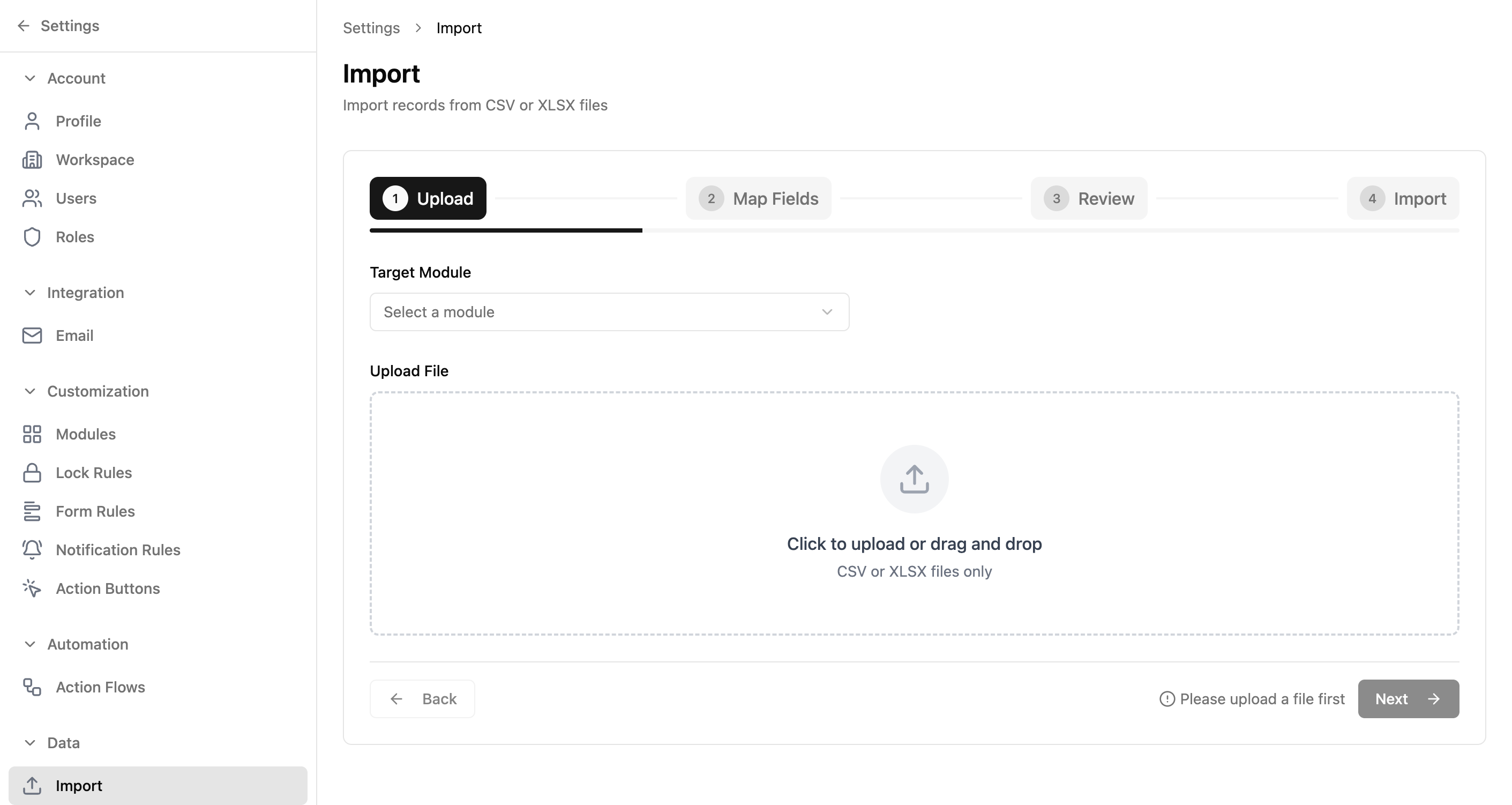
Import Data
Bring your existing data into the platform quickly and accurately
Import from CSV or Excel files with a guided wizard that ensures your data lands in the right place. Field mapping, validation, and progress tracking make bulk imports painless.
Key Features
- •Import from CSV and XLSX (Microsoft Excel) files
- •Step-by-step wizard: Upload, Map Fields, Review, Import
- •Auto-detect matching column names
- •Manually map columns to fields or skip columns you don't need
- •Handle date and number formats
- •Preview data and see validation errors before importing
- •Track progress during import and review results after
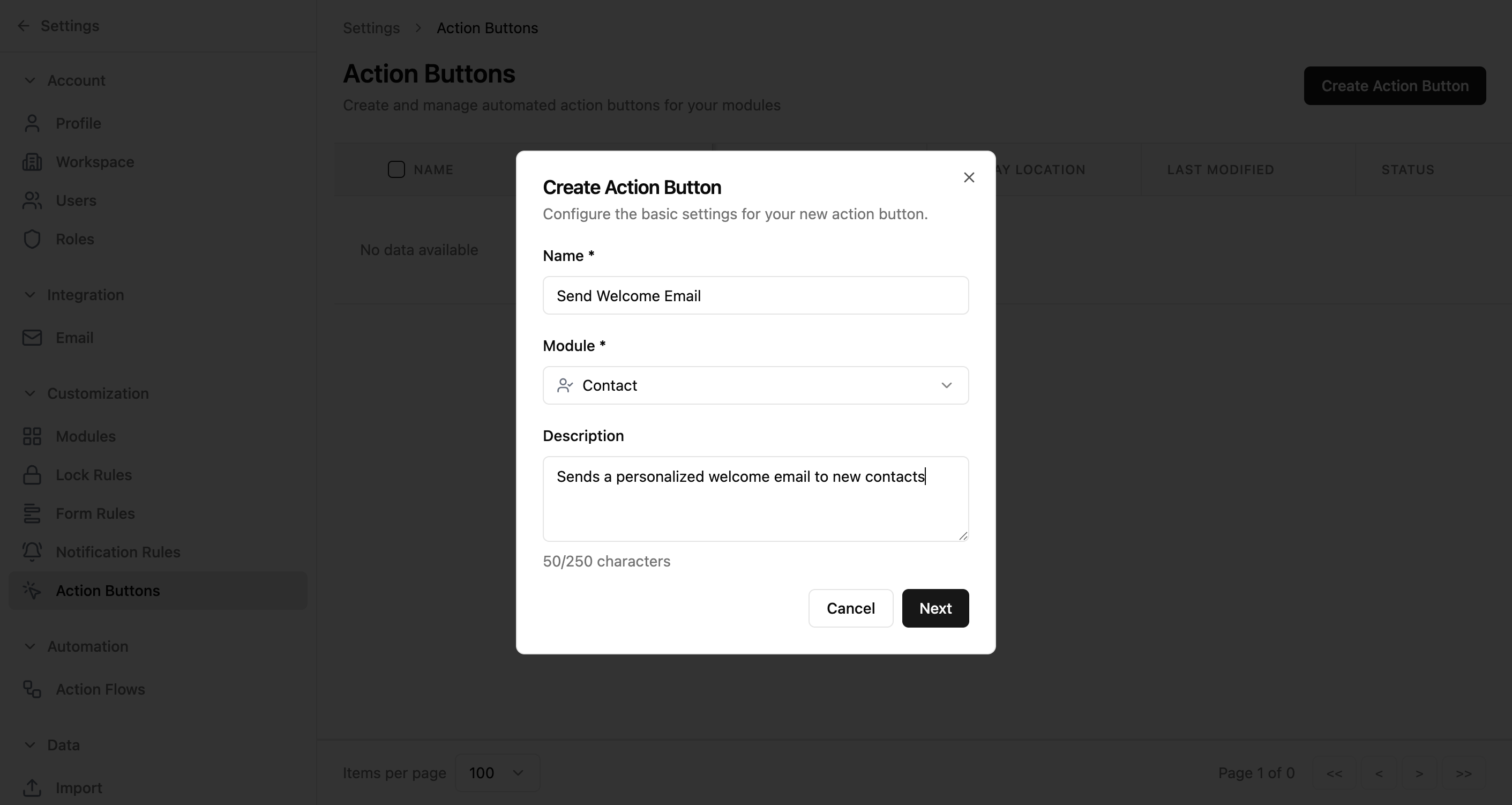
Action Buttons
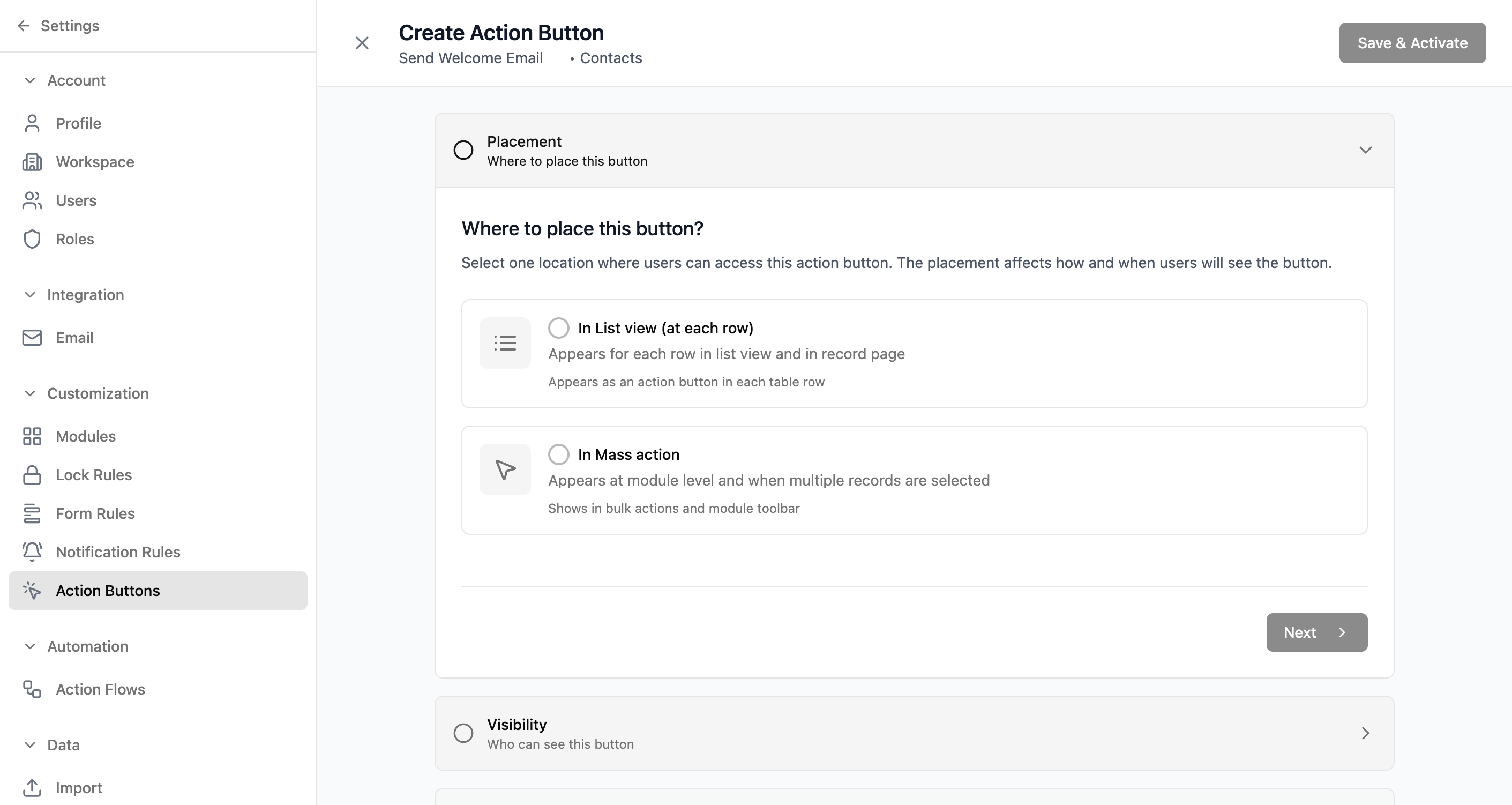
Add custom buttons to your entries that trigger specific actions
Streamline common tasks and ensure your team follows consistent processes. Choose where buttons appear, control who sees them, and configure what happens when they're clicked.
Key Features
- •Flexible placement: List View, Entry Page, or Mass Action
- •Visibility controls by role or entry type
- •Conditional display based on field values or status
- •Send emails when clicked
- •Make HTTP requests to external systems
- •Execute custom code
- •Create or update entries automatically
Settings & Administration
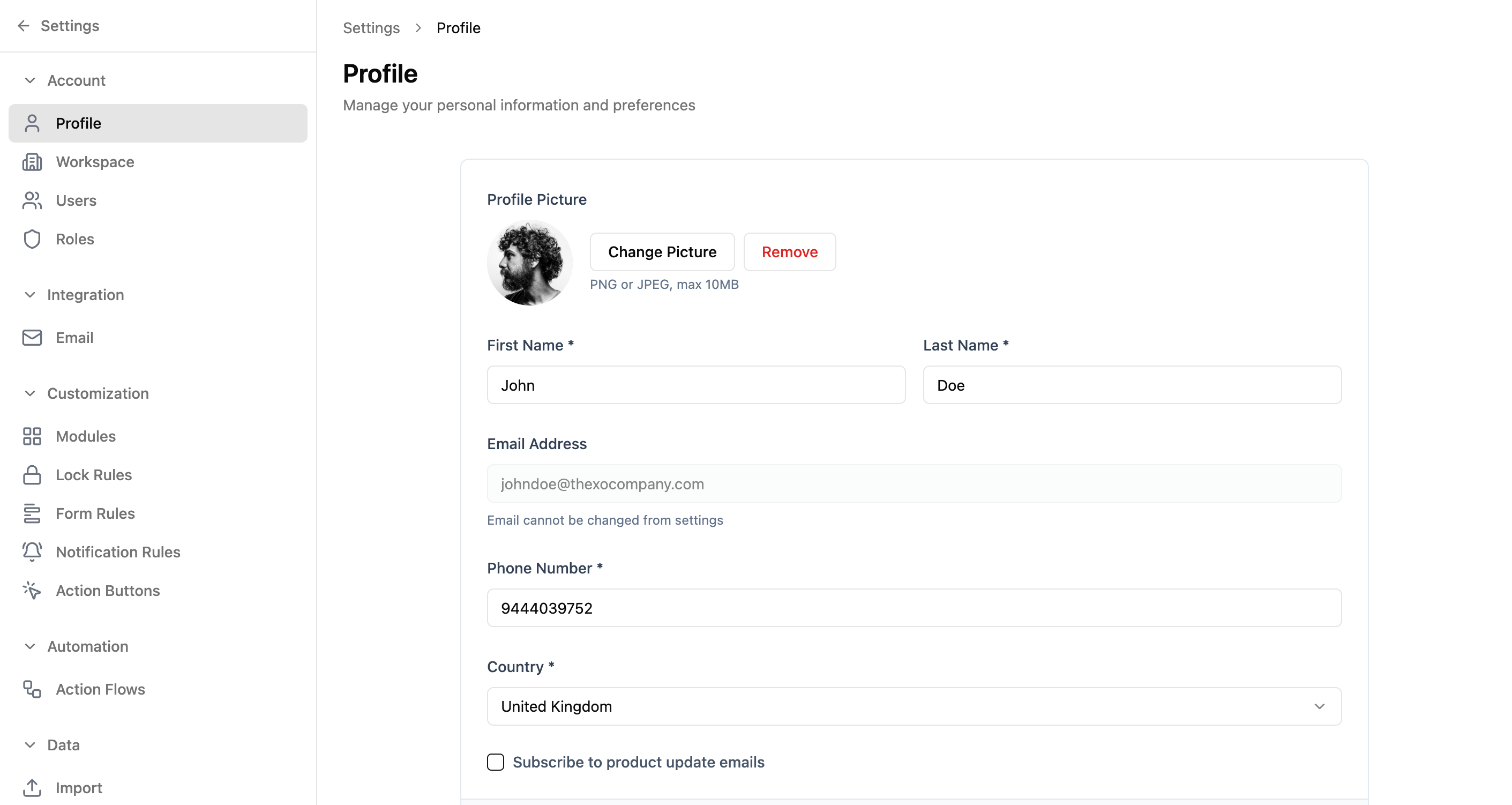
Configure every aspect of your workspace from a central hub
Manage users, customize modules, set up automations, and more. Everything you need to tailor the platform to your business is in one place.
Key Features
- •Profile settings: Update your name, photo, and contact info
- •Workspace-wide configuration
- •User management: Add, edit, and manage team members
- •Role definitions and permission hierarchy
- •Module customization and lock rules
- •Form rules for dynamic form behavior
- •Notification rules and action flows
Ready to see these features in action?
Let's start with a conversation. We'll show you how these features come together to solve your specific workflow challenges.
Don't see what you need?
If something's missing, we'd genuinely like to know. It might be on our roadmap, or it might be something you can build yourself with our platform tools. Either way, let's figure it out together.
Comments & Collaboration
Keep all conversations about your data in one place
Add comments to entries, discuss changes, and collaborate with your team without leaving the platform. Rich text formatting, threaded conversations, and emoji reactions make communication natural.
Key Features